Don't just chat, recurate.
Recurate is a suite of browser extensions for AI conversations. Annotate the output, compose the input, capture the conversation, and connect your chats.
The Problem
Every AI chat interface — Claude, ChatGPT, Grok, Gemini — gives you exactly one way to respond: a text box.
When the AI produces a detailed response and you agree with half, think one paragraph is brilliant, and another is completely wrong — your only option is to type a lengthy message explaining all of that. Most people don't bother. The conversation drifts.
The text box is the only way to talk to AI. That's a problem.
The Solution
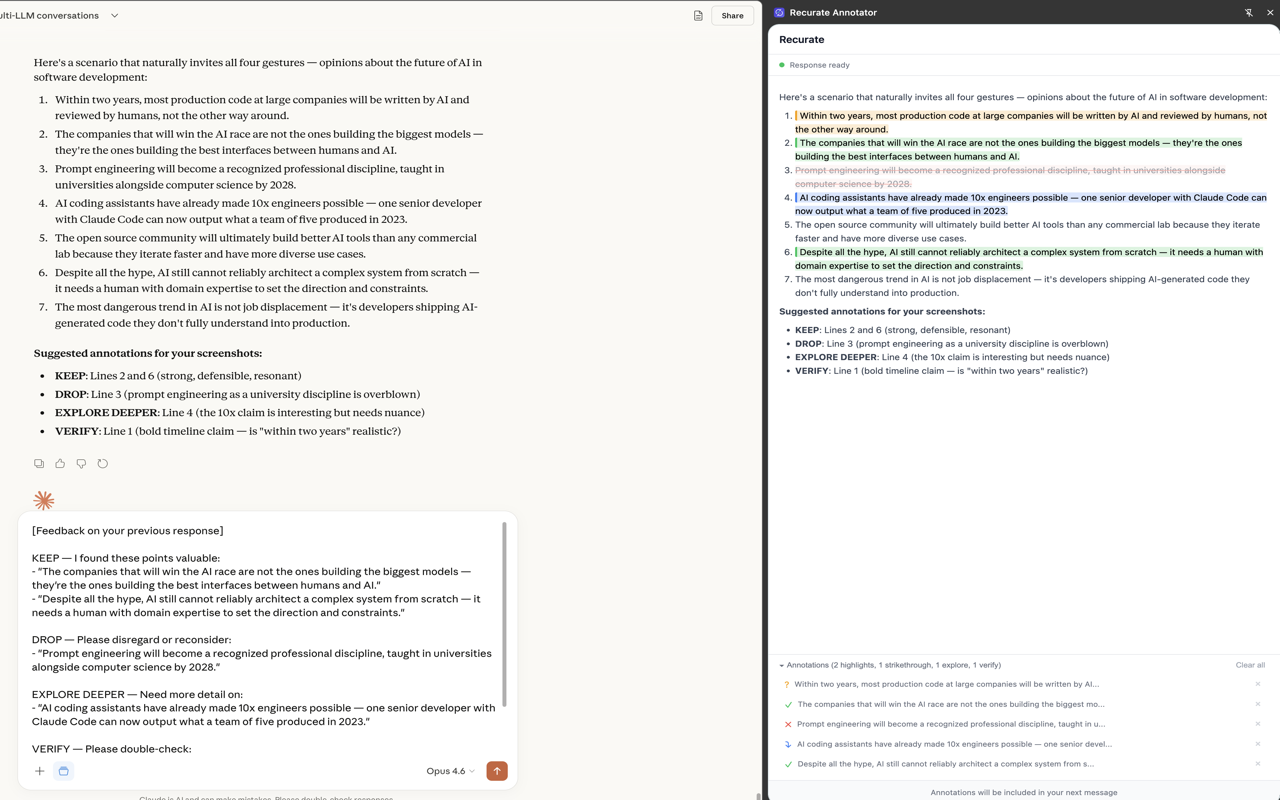
Highlight and strikethrough parts of an AI response instead.
- Highlight (green) = "This matters. Carry this forward."
- Strikethrough (red) = "This is wrong or irrelevant. Drop it."
- Dig deeper (blue) = "Elaborate on this. I want more detail."
- Verify (amber) = "Fact-check this. I'm not sure it's right."
These gestures communicate in seconds what would take paragraphs to type. The AI gets clear signal about what you valued and what you didn't, and the next response is better for it.
The Products
Recurate Annotator — Chrome Extension
A Chrome extension that adds annotation tools to AI chat interfaces. Opens a side panel, mirrors the AI's latest response, and lets you highlight, strikethrough, dig deeper, and verify. Annotations auto-inject as structured feedback into the platform's text box. Works on claude.ai, ChatGPT, and Microsoft Copilot.
Recurate Annotator — VS Code Extension
The same annotation UX, built for the Claude Code terminal workflow. A VS Code sidebar that watches Claude Code's conversation files, renders assistant text responses with full markdown formatting, and auto-copies annotation feedback to your clipboard. You paste it into Claude Code when you're ready.
Install from VS Code Marketplace Install from Open VSX (for Antigravity, VSCodium, Theia)
Recurate Composer — Markdown Toolbar
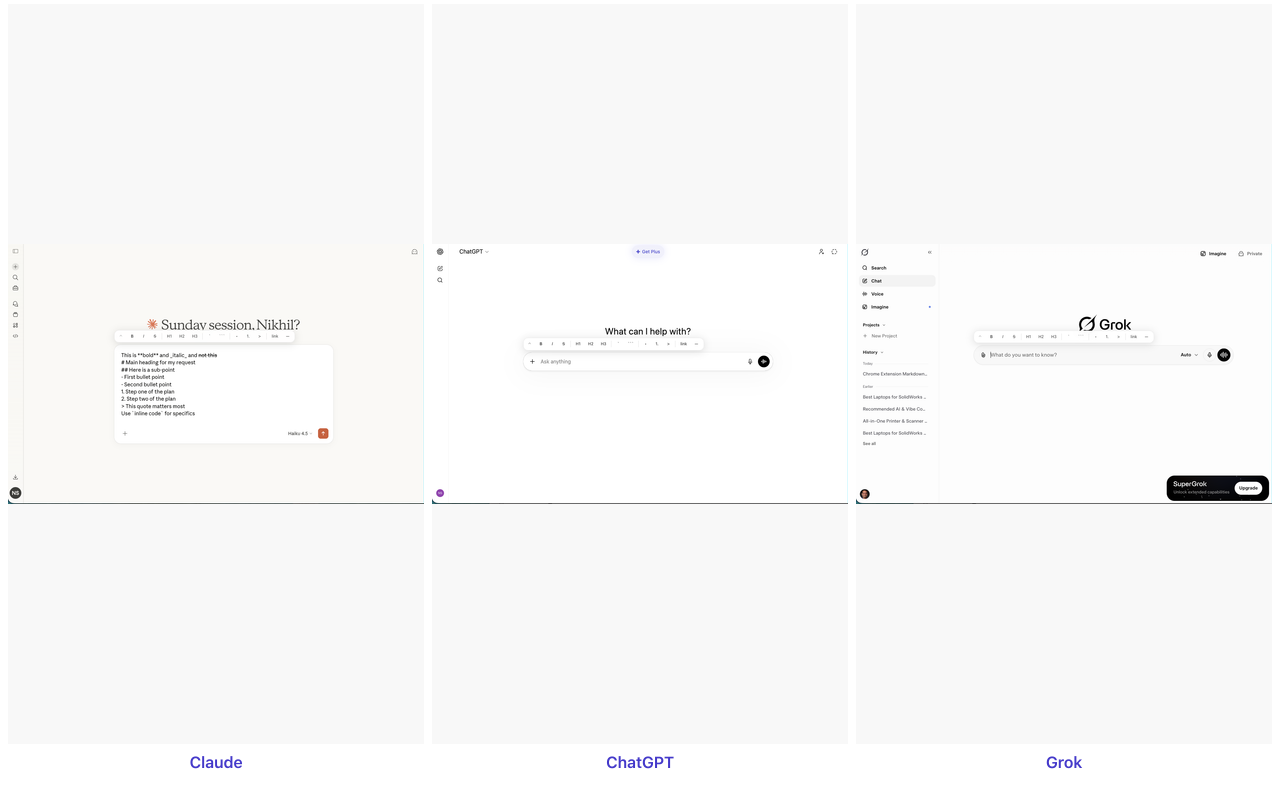
AI responds in rich text. You're stuck with plain text. Recurate Composer adds a floating markdown toolbar to every AI chat input box — bold, italic, headings, code, lists, links, and more. Works on claude.ai, ChatGPT, Grok, Gemini, Microsoft Copilot, and Google Search.
Recurate Copier — Conversation Export
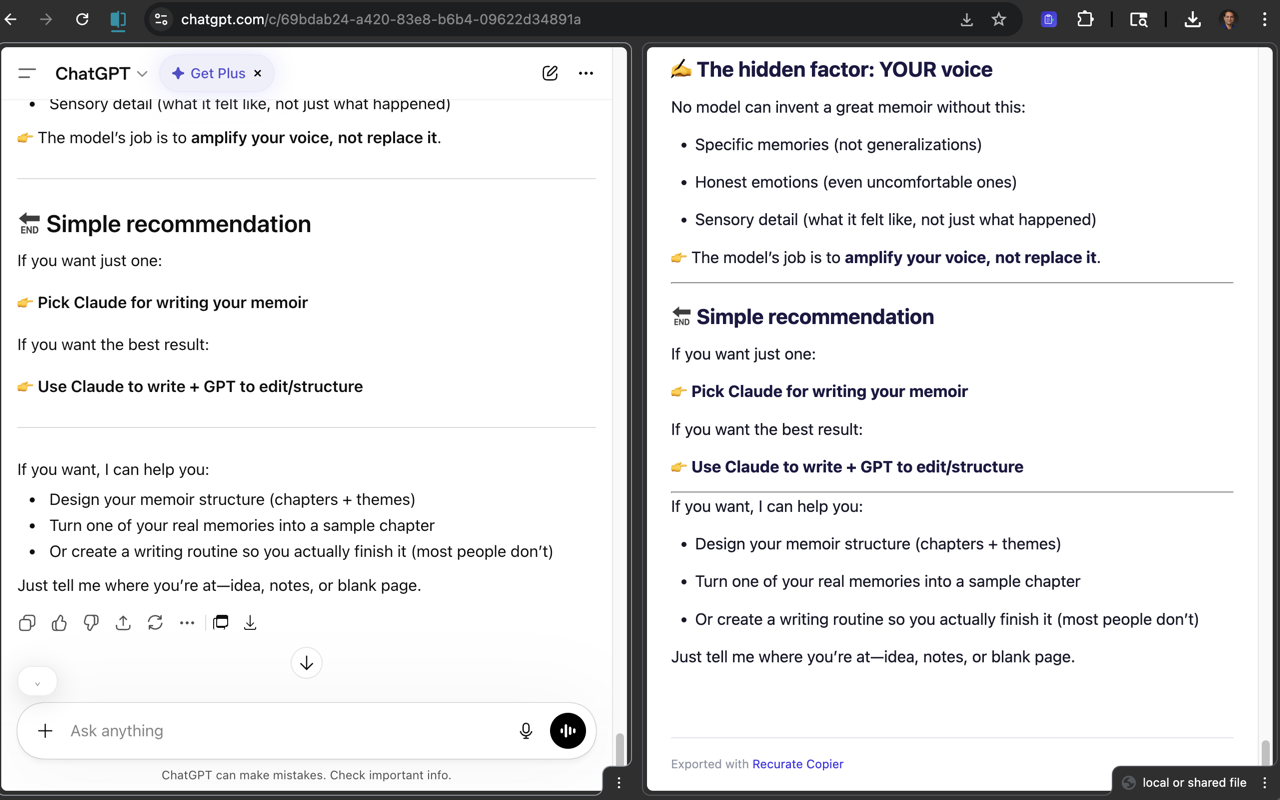
Three buttons on Claude.ai: Copy (markdown to clipboard), Download (quick HTML with timestamp), Export (full ZIP with artifacts + uploads). Two buttons on other platforms. On Claude, the Export button creates a complete archive with conversation, all generated artifacts, and all uploaded files. Works on claude.ai, ChatGPT, Grok, Gemini, Microsoft Copilot, and Google AI Mode.
Install from Chrome Web Store v0.2.0 with ZIP export
Recurate Connect — Cross-Chat Context Sharing
Connect two AI chat tabs with one-click context sharing. Works across Claude.ai and Microsoft Copilot, in both Chrome and Edge. When you run specialist chats (e.g., a Claude chat for strategy, a Copilot chat for work tasks), Connect lets you share messages between them without copy-paste. Type \rc to share the last exchange, or click the share button. A shared space sidebar shows everything that's been shared, and a pop-out window gives you a command center on a second monitor.
Blog: The Text Box Problem Blog: 20+ Tools, Zero Curation View on GitHub